

Options. Artwork. Pricing. Inventory.
Shopify product configurators
Custom Shopify product configurator development for apparel and automotive stores. Connect customer choices, artwork previews, pricing rules, and supplier data in one ordering journey.
The Direct Laser Source / Shopify
From supplier data to a custom order.
Screen printing and embroidery orders combine more than a garment and a quantity. The Direct Laser Source builder connects SanMar and S&S availability with artwork placement, decoration choices and size-aware estimates.
Before choosing the implementation, compare Shopify variants vs custom options to separate inventory, customer details and paid extras.
Product, color, size, quantity.
Plan which combinations can be ordered and how unavailable choices are handled. Supplier access and update behavior are part of the integration scope.
Show the decoration.
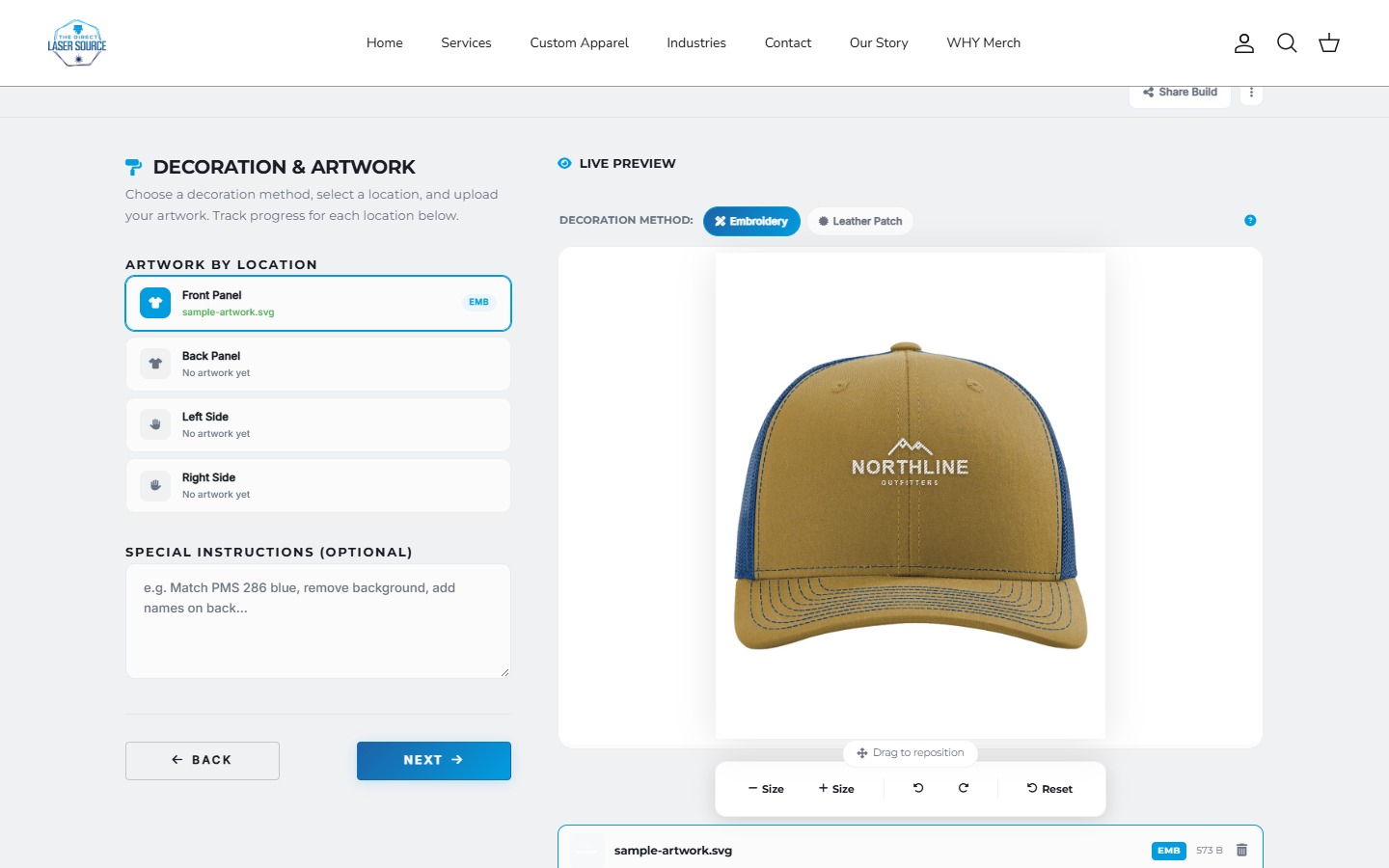
Artwork placement and embroidery or leather-patch previews help customers understand the selected treatment. Confirm supported file types and production requirements before development.
Price the actual configuration.
Quantity, decoration, and store margin rules need a defined pricing model. Agree how it reaches the cart, quote, or order handoff rather than relying on a visual estimate alone. For a worked apparel example, read the bulk apparel ordering guide.
CARBON.DEPT & Jalisco's Carbon Fiber
Keep the relevant options. Lose the clutter.
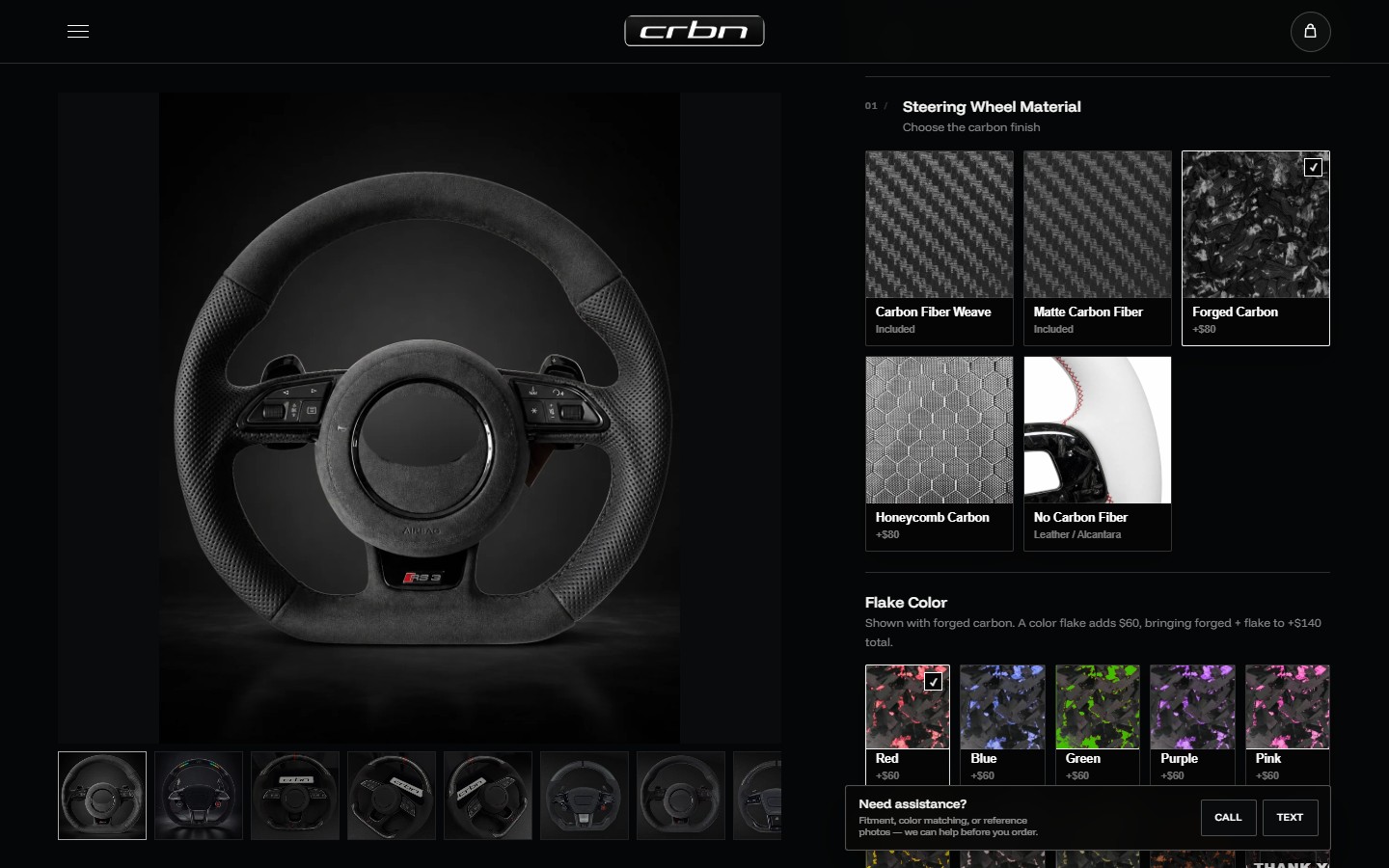
Vehicle browsing and conditional steering-wheel choices need more care than one long dropdown. These projects show how a store can guide shoppers through a specialized catalog.
CARBON.DEPT case studyJalisco's case studyA real ordering example / The Direct Laser Source
Define the order, not just the options.
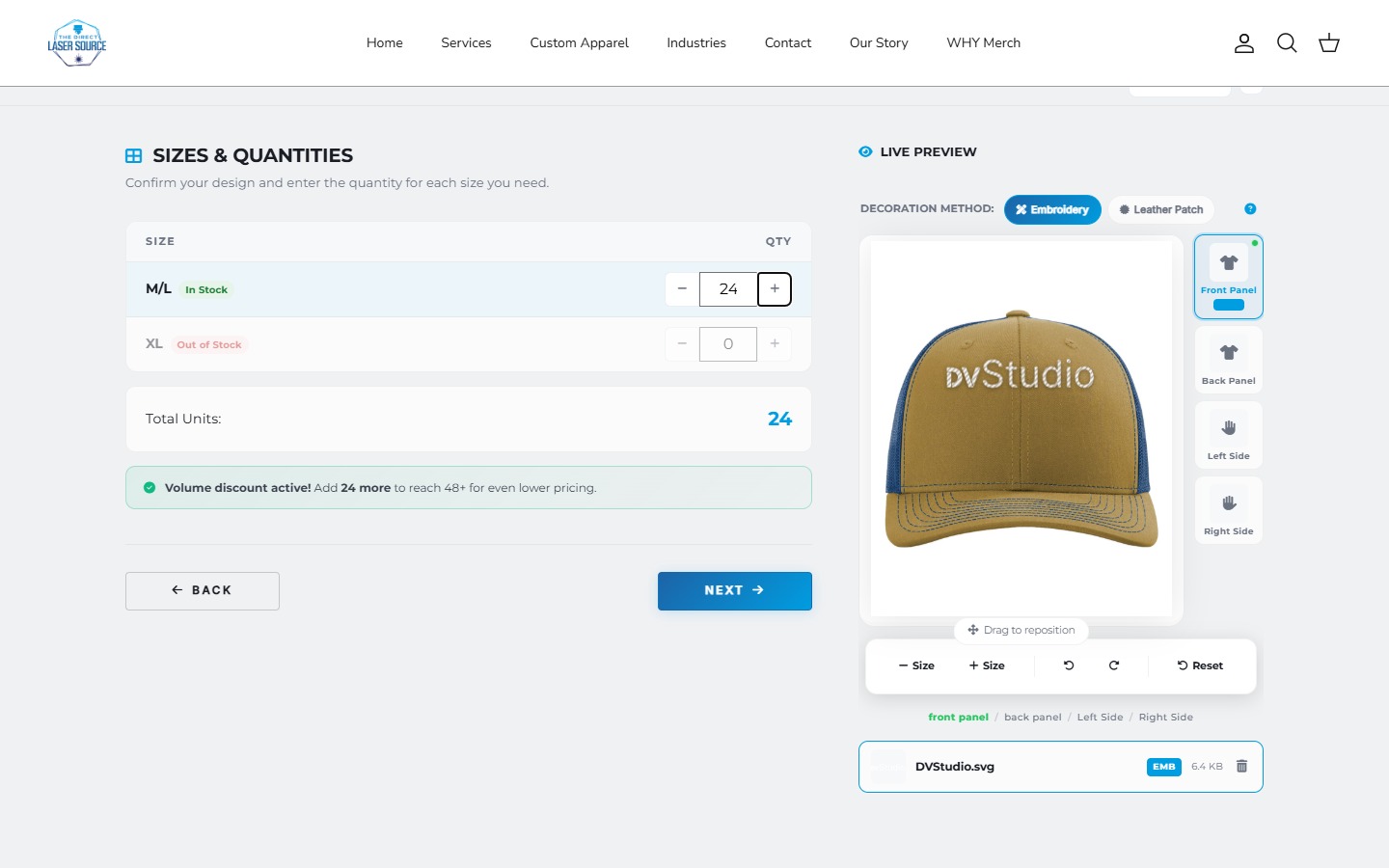
Choose a garment and color, enter quantities by size, place a logo, and select the decoration. The review brings those choices into an estimate.
Which ordering problem needs solving?
- Product choices & configuration
- Materials, dependent extras, and valid combinations. CARBON.DEPT shows conditional wheel choices. Compare native options, apps, and custom builders before choosing the scope.
- Multi-size apparel ordering
- Several sizes in one purchase need quantity entry, not just a discount. Direct Laser Source shows a size-aware estimate. Start with the bulk apparel ordering guide.
- Supplier-connected ordering
- Join supplier availability, decoration choices, and merchant pricing. Direct Laser Source connects SanMar and S&S data. Review the supplier and order responsibilities before scoping an integration.
Agree the cart or quote handoff, artwork requirements, and who maintains the rules. Stock lookup is not purchasing or fulfillment; a preview is not print-ready artwork.
App, integration, or custom build?
An existing app may be enough for standard fields and paid add-ons. Custom development becomes worth discussing when supplier data, pricing rules, artwork, or the order flow do not fit the available setup. We review the requirements before recommending an approach.
Product options app vs custom builderCan you connect SanMar or S&S Activewear?
The Direct Laser Source project demonstrates connectors for those suppliers. Your project still needs its own authorized supplier access, product mapping, pricing rules, and refresh requirements. Inventory lookup does not automatically include purchase-order submission or fulfillment.
Can customers upload a logo?
The DLS editor demonstrates artwork placement and decoration previews. Confirm accepted files, placement rules, storage, who can open the artwork, and how production receives it. Public storefront file hosting and restricted customer-file storage are different requirements. A preview is not a guarantee of print-ready artwork.
Can customers change personalization after checkout?
That depends on the order, the editing tools and your production cutoff. Shopify quantity edits are not the same as replacing artwork or reopening a builder. Check the existing app first; agree permissions, reapproval, any payment difference and how the revised job reaches production. See the order-change example. A request is not confirmation that the change was applied.
Does this need Shopify Plus?
Supplier connections alone do not determine the Shopify plan. The cart and pricing approach does: some price-override features require Plus. We assess your store and order flow before choosing an implementation.
What does a custom builder cost?
Custom quotes depend on the rules, data, artwork tools, and order handoff. Share your store URL, a sample order, pricing rules, supplier requirements, and who will maintain them. Standard website packages are not configurator prices.
What's included in my build?
The build covers the pages, features, integrations, and launch work agreed in your quote. If you need something beyond that scope, we'll discuss the work and any pricing before going ahead.
Can I get access and a video walkthrough?
Yes. You can request access to your project's domain and hosting or server. If the site uses a website builder, full builder access is available on request. We can also record video walkthroughs for specific tasks or features.
Can I make simple changes myself?
You can use the editing tools your platform provides. A dashboard for selected content or settings can be scoped on request. It is optional, with pricing based on the controls you need.
What happens after launch?
We stay available to help with bugs, small inconsistencies, and minor fixes on the website we built. For new features or larger changes, we'll discuss the work and any pricing with you before proceeding.
Let's work through your idea.
Share your current website, the customer journey, and what needs to work differently.

