

Shopify / Apparel ordering
Bulk apparel ordering on Shopify.
Let customers choose several sizes, add their artwork, and understand the total before they place an order.
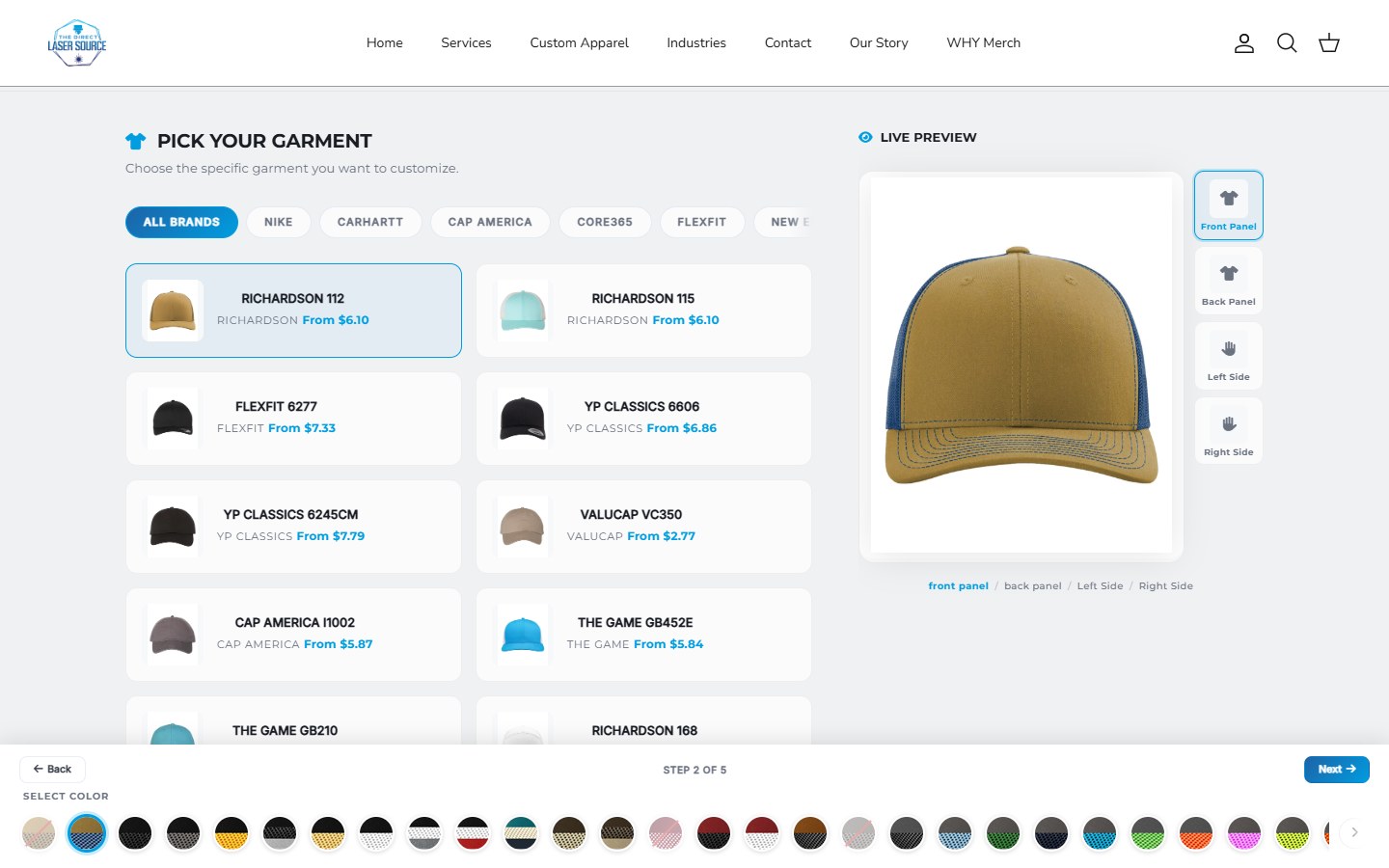
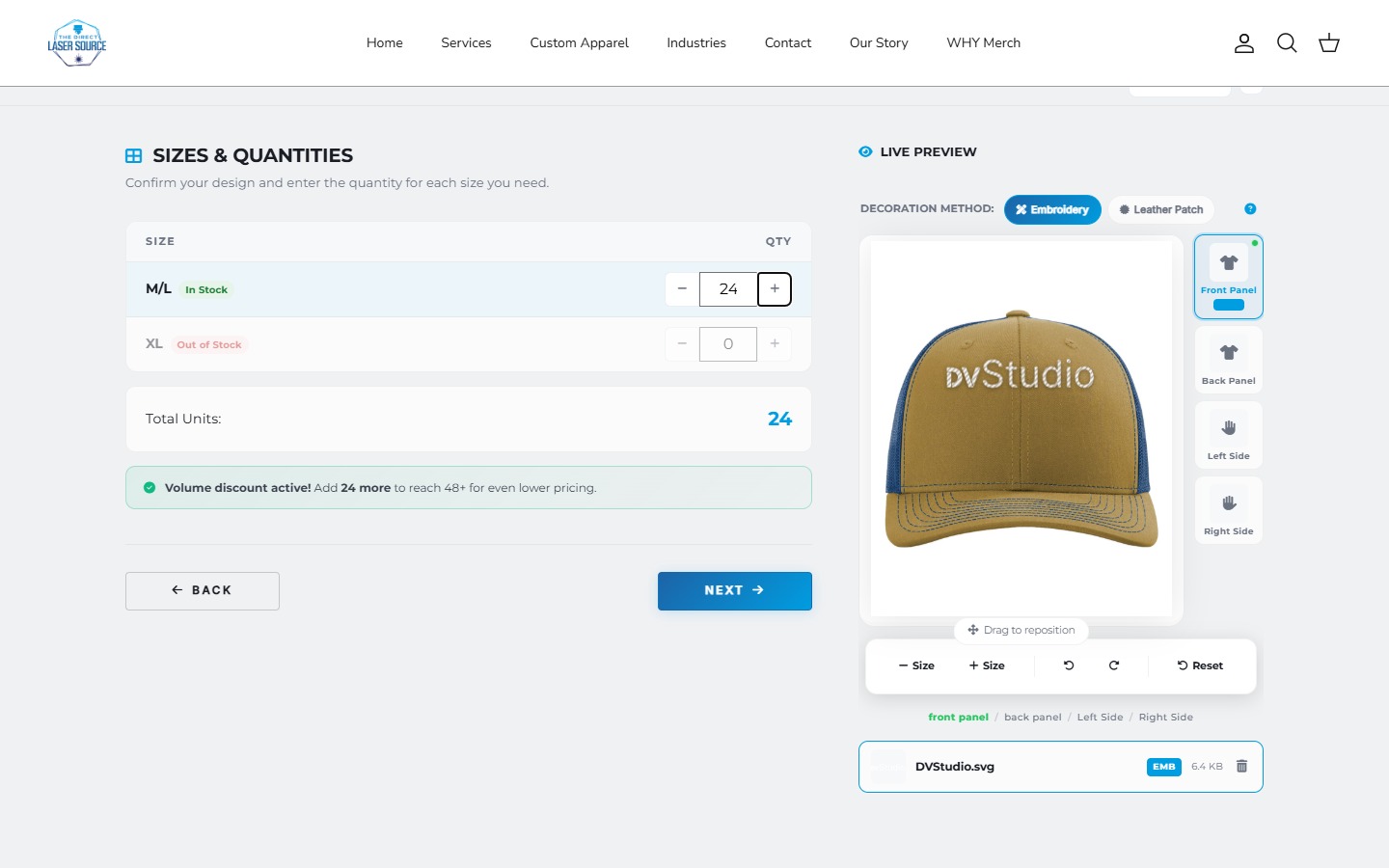
One order, several sizes.
- Quantity discount: a lower price at a higher quantity. It does not, by itself, collect a size mix.
- Size matrix: enter how many of each size in one order.
- Supplier-connected decoration builder: combine availability, artwork choices, and merchant pricing, as in the Direct Laser Source recording above.
| Size | Quantity | Artwork |
|---|---|---|
| Small | 6 | Shared logo |
| Medium | 10 | Shared logo |
| Large | 8 | Shared logo |
| Total | 24 | One design |
Define what a minimum or discount applies to: the whole order, each garment, each color, or each decoration setup. Twenty-four items in the cart do not automatically mean twenty-four identical production units.
A useful total needs more than quantity.
Start with the selected garment quantities and size-specific prices. Then account for decoration method, artwork locations, quantity tiers, and any one-time setup charge. Make clear which charges are per item and which apply once.
In our Direct Laser Source implementation, size-aware garment prices and decoration rules feed the order calculation. Its cart builder also carries the size breakdown, garment, color, and decoration details alongside the order items. Those details matter as much as the preview.
Connecting SanMar or S&S is more than importing products.
A catalog import brings garments, colors and sizes into a store. It does not, by itself, define how current stock is checked or how a decorated order is priced and purchased. Plan those steps separately.
| Step | What needs to be clear |
|---|---|
| Catalog import | Which styles, colors and sizes belong in the store? |
| Stock check | When is availability refreshed, and what happens if the supplier does not respond? |
| Customer pricing | How do size quantities, decoration and setup charges become a valid total? |
| Supplier purchasing | Who orders the blanks, where do they ship, and when is artwork approved? |
Our Direct Laser Source builder includes SanMar and S&S inventory and pricing connectors. Its size-aware calculation is designed not to replace an unknown larger-size price with a smaller-size price. That is an example of joining supplier data to the customer's order, not proof that a stock lookup reserves goods or places a supplier purchase order.
An existing integration app may handle your import and stock-sync needs. Check its supplier support and refresh behavior before choosing custom development. For decorated orders, confirm who receives the blanks, who decorates them and who ships the finished goods; those can be different steps.
How fresh is the stock? A scheduled sync and a lookup during ordering are different checks. SanMar's integration guide distinguishes catalog-wide refreshes from ordering-time inventory checks. Agree which warehouse quantities count, how long cached data remains usable, and what happens when a request fails. A failed lookup is not proof of zero stock or confirmed availability.
Also check Shopify's inventory and continue-selling settings. The locations that fulfill online orders affect availability; a supplier connector is only part of the setup.
References: SanMar integration options, S&S integration resources, and an example supplier-sync app. App capabilities are vendor-described and need checking against the proposed store and plan.
Artwork and production
Show the design. Preserve the details.
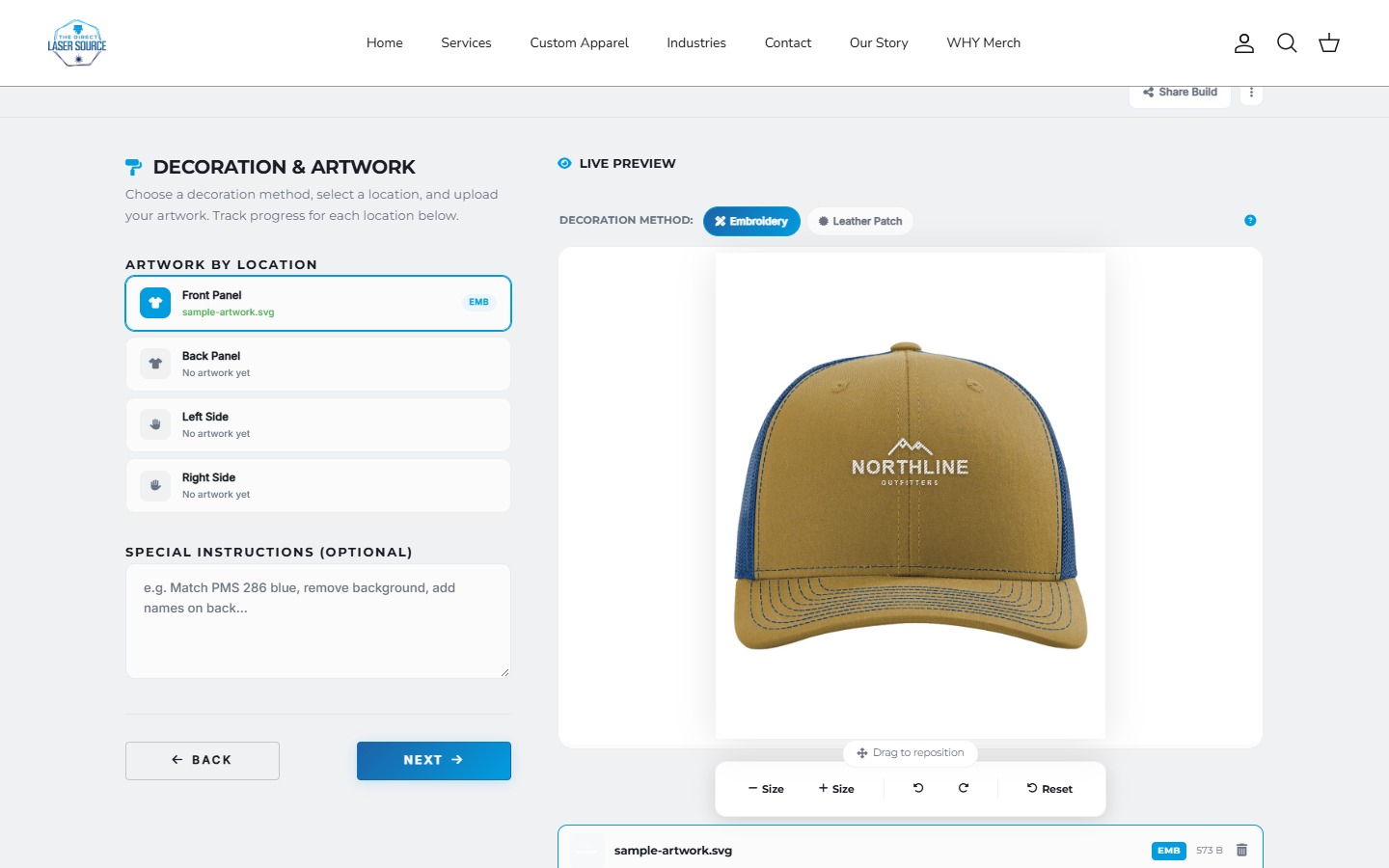
Uploading a logo is only the start. The customer should understand its placement, decoration method, and whether the preview needs approval before production.
The Direct Laser Source editor demonstrates artwork placement and embroidery or leather-patch previews. A visual preview is not a guarantee of exact thread, material, or finished-product color.
Choose quote or checkout deliberately.
Use a quote flow when the artwork, availability, or final production cost needs review. Explain what the estimate includes and what happens after submission.
Use checkout when the selected configuration can produce a valid payable total and the order retains its production details. A file-upload field or a displayed estimate does not, by itself, establish either requirement.
Test the exceptions before launch.
Use one garment, one color and a small size mix. Agree these outcomes for the proposed app or custom build, then test them in staging or with controlled data.
- Stock falls below the order. Request eight Large items, then use test data showing only five available. Check the agreed block, alternative or review route; do not silently accept eight as confirmed stock.
- Supplier request fails. Simulate an error or timeout. Show that availability is unconfirmed, with an agreed retry or review path. Do not present cached data as a newly successful check.
- Selected size has no price. Remove the test price for a selected larger size. Check that it is not replaced by a smaller-size price or accepted as a free item.
- Price changes before handoff. Change the test supplier price after the first estimate. Recalculate under the agreed pricing rules and make any changed payable total clear before payment.
Change a size quantity across a pricing tier, return from the cart, and edit the artwork location. Check the revised total and order details for stale quantities or charges. Use an agreed test order, not an unplanned live purchase.
A supplier error and an inventory result are different: see S&S API error guidance. The DLS example above demonstrates size-aware pricing safeguards, not a guarantee against overselling.
After checkout / corrections
A changed order has more than one checkpoint.
A size correction, extra quantity or replacement logo can affect the order, the balance and the production job. Agree who can request changes, the cutoff, and when a revised design needs approval.
Example change request
Two more tees. A revised logo.
- Size mix
- 4 Small /
810 Medium - Merchandise
$144$168Illustrative USD 12 per tee; tax and shipping excluded.- Difference
- $24 to collectReviewed amount, not a completed payment.
- Artwork v2
- Review neededConfirm the accepted file and update the production job.
Shopify supports eligible product and quantity edits, but payment or refund handling is separate. Recheck discounts and shipping; not all values recalculate automatically. Verify the production system received the revision: connected apps can have editing limits.
Start with the store's supported workflow or a suitable editing app. A saved design, an updated order and a revised production record are different things. Our save-and-return guide covers the step before an order exists.
Does this need an app or custom work?
Not every bulk-order flow needs a custom builder. Existing apps advertise size/color quantities, artwork uploads, placement choices, and quantity discounts. Test a suitable app against your real catalog and theme first.
A custom apparel builder becomes relevant when supplier data, merchant-specific pricing, conditional choices, or the production handoff leave an important gap. Our app-versus-custom guide covers that decision separately. For company accounts and catalog pricing, see our guide to Shopify B2B without Plus.
Choosing the platform behind the order? Compare InkSoft, Shopify and hybrid print-shop setups.
Working through a custom order flow?
Share your store URL, supplier or ordering app, and one sample order the current setup cannot handle.
Platform references: Shopify variant documentation and an example bulk apparel app listing. App features are vendor-described and must be checked for your proposed setup.

