

Shopify planning
Product options app or custom builder?
Use the simplest approach that handles your products, pricing and order handoff. Here is how to compare native Shopify options, an app and custom development using real apparel and automotive work.
Choose the smallest scope that works.
Start with native Shopify options. Try an app for added personalization. Consider custom development when a tested requirement still does not fit.
| Approach | Good starting point | Check before choosing |
|---|---|---|
| Native Shopify | Stock-tracked size, color or material combinations. | Option structure, theme support and inventory behavior. |
| Product-options app | Personalization, uploads, paid extras or conditional fields. | Supported rules, cart pricing, file access and order details. |
| Custom development | A tested gap in supplier data, pricing or artwork workflows. | Data ownership, failure handling, order handoff and support. |
Conditional fields alone do not require a custom builder. Test a suitable app first. A supplier connector can support either approach; a stock feed alone is not an ordering flow.
Do native options already cover it?
Shopify supports up to 2,048 variants and three options per product. Check the current theme and app compatibility before using a large variant catalog. Extra fields and a visual builder are different requirements from stock-tracked variants.
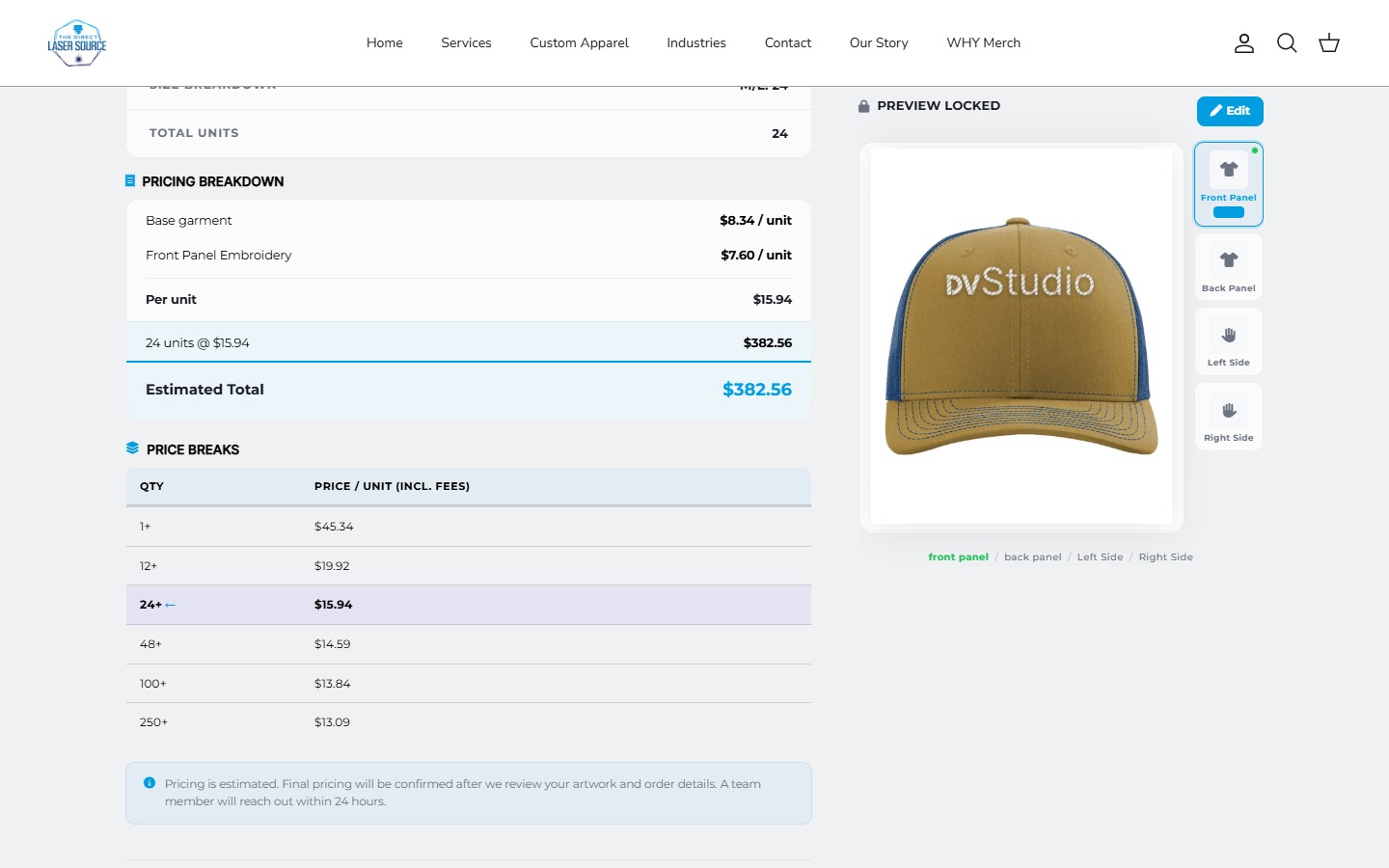
For personalization or paid extras, compare an app's actual behavior: how does the price reach the cart, where is the artwork stored, and what does the merchant receive with the order?
Direct Laser Source / Custom apparel ordering
When ordering spans several systems.
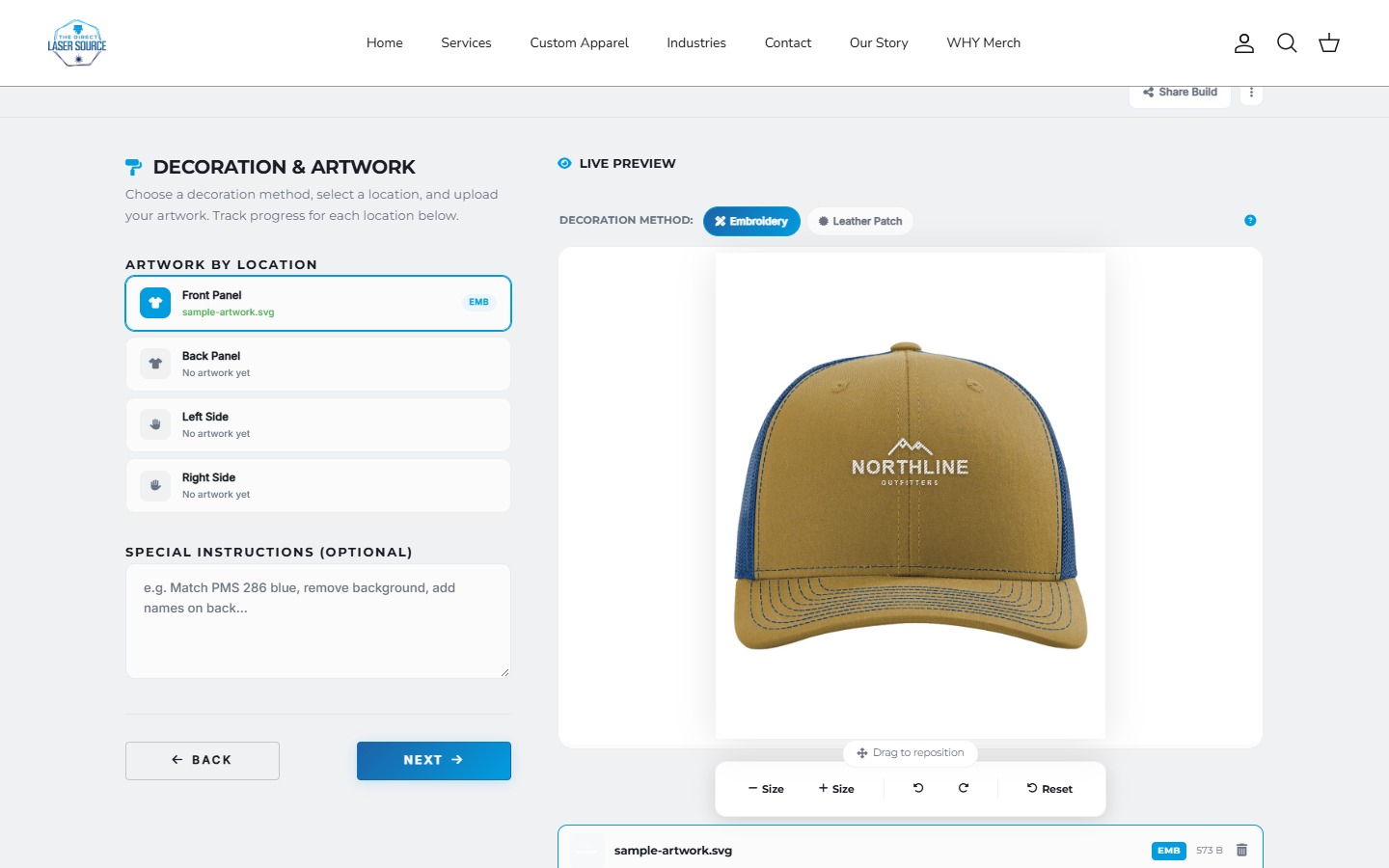
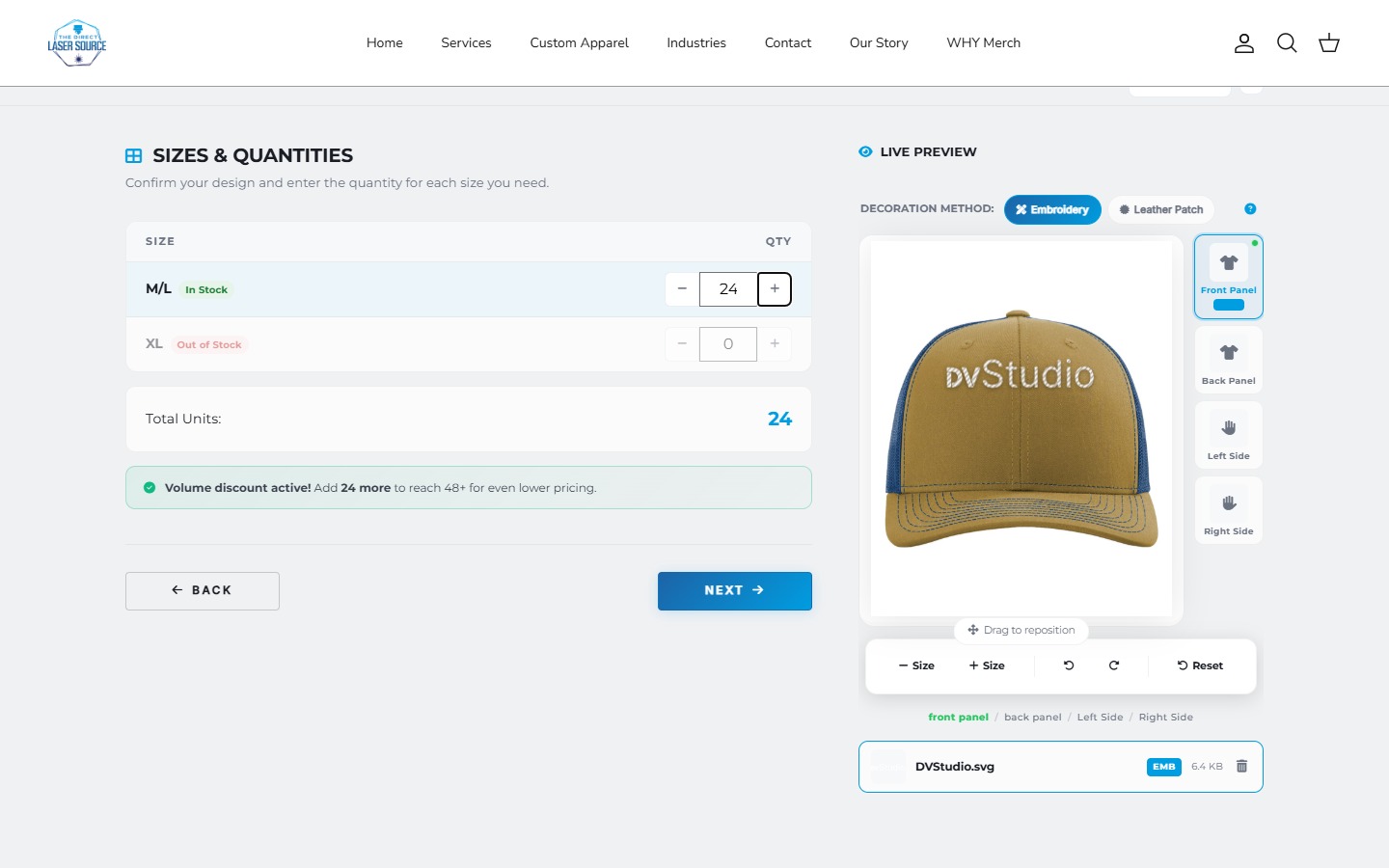
In the Direct Laser Source project, supplier catalog data, availability, store-specific margins, quantities, and decoration choices feed an apparel ordering experience. The editor also shows artwork placement and decoration previews. That combined workflow is more specific than adding another product field.
Custom work can still use existing tools. The scope might be theme integration, a pricing service, a supplier connector, or a full builder; it does not have to mean replacing every part of Shopify.
CARBON.DEPT / Conditional product choices
Conditional options need a clear rulebook.
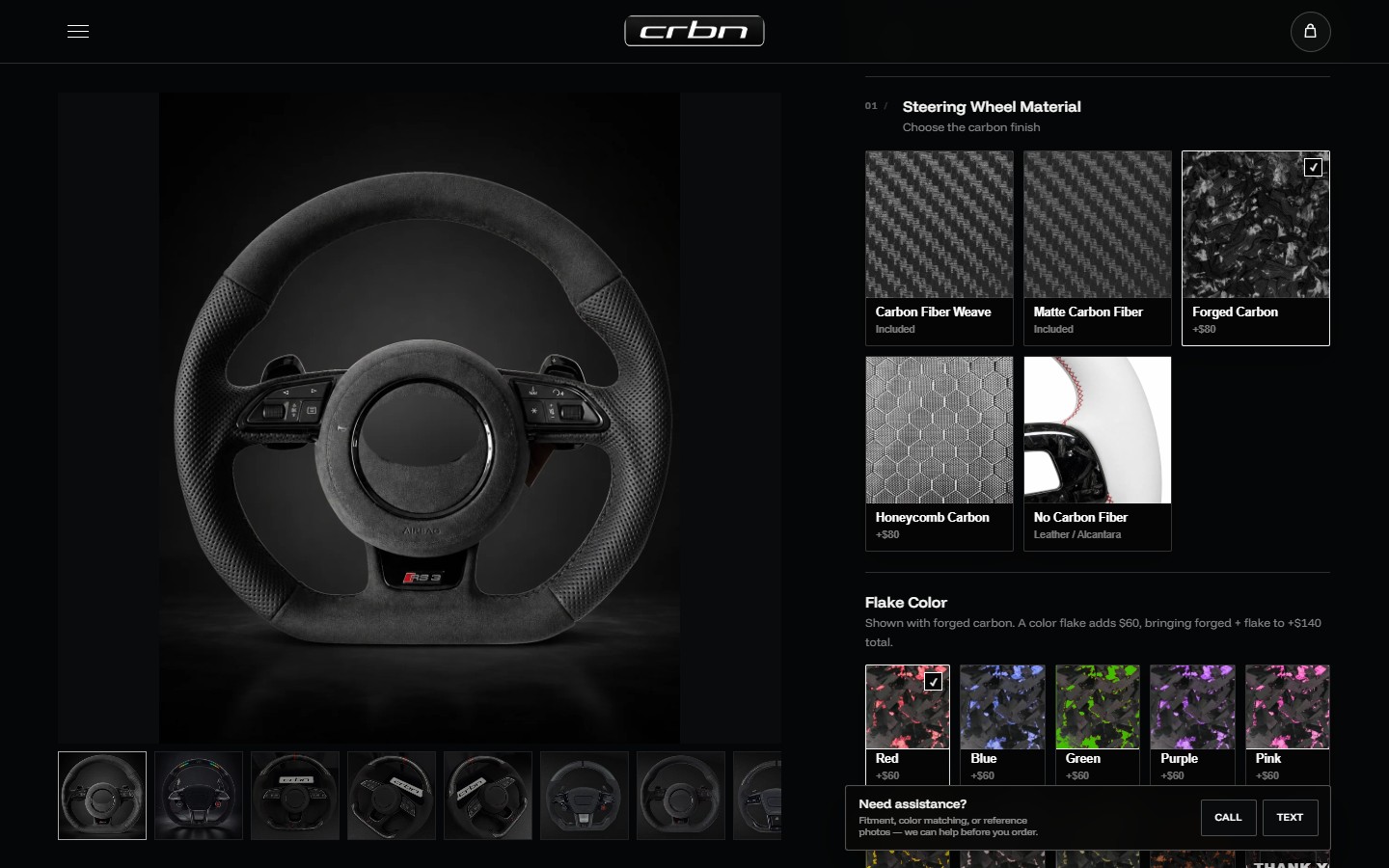
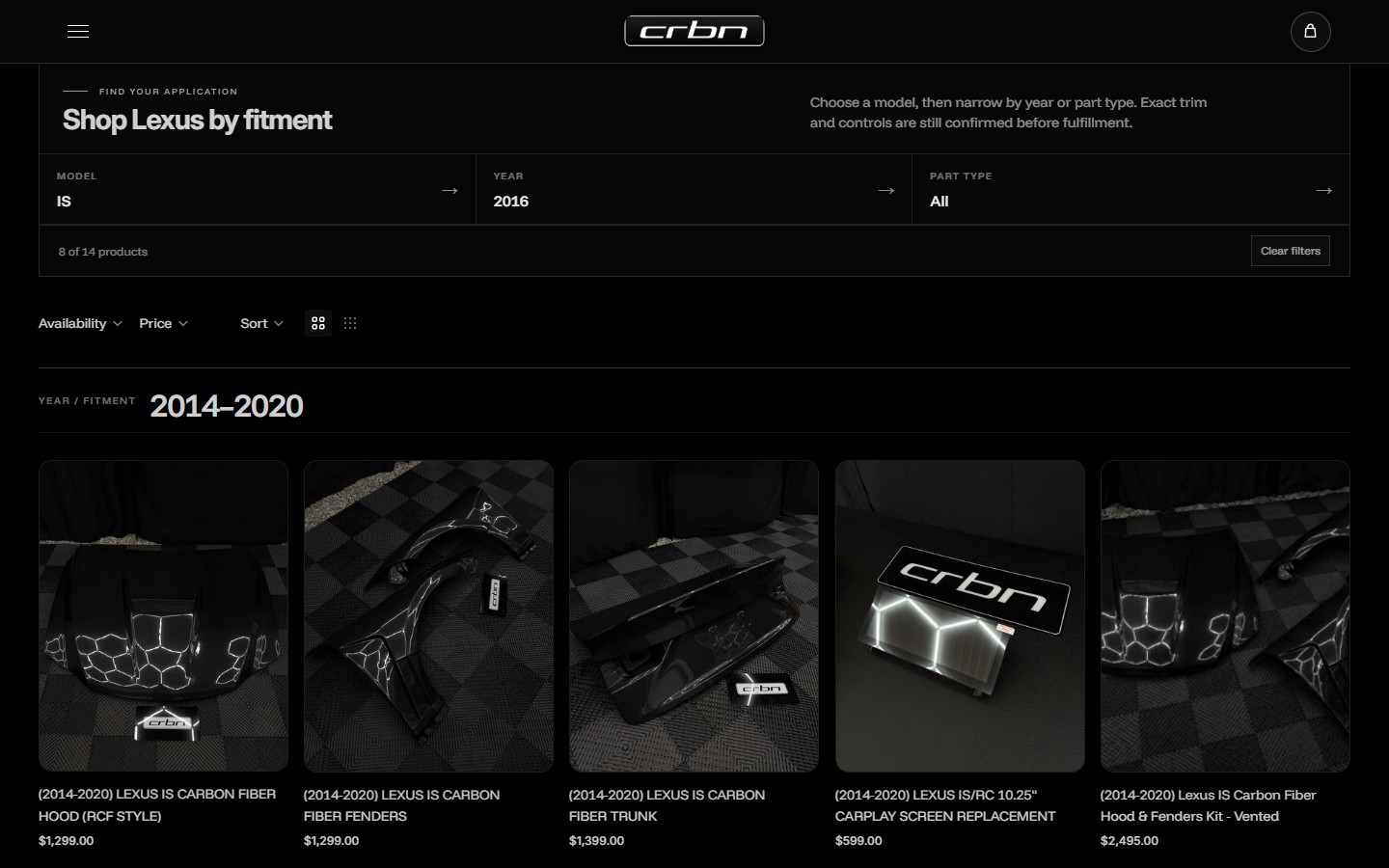
Write down which choices reveal or exclude other choices, what changes the price, and which configurations must be blocked. The CARBON.DEPT and Jalisco wheel flows provide concrete examples of presenting a specialized product with dependent options.
A field appearing or disappearing is only one part of the requirement. Check what happens to an earlier value when it becomes incompatible, and how the final choices are recorded.
A repeatable acceptance test
Change a choice. Check what follows.
Test valid and invalid combinations, then return from the cart and change an earlier choice. Check that incompatible values and old charges disappear, while valid artwork and quantities stay with the order.
- Start with a supported material and shape.
- Change an earlier choice; check which dependent fields and values remain.
- Review price adjustments and the configuration passed to the cart or quote.
These are checks to agree for your project, not a claim that every options app or store behaves identically.
Compare the ongoing work, too.
- App setup
- Budget for setup, subscription and compatibility checks after updates. Before removing an app, confirm how needed files, settings and order details are retained. Follow its developer's cleanup steps and check separately billed subscriptions. Reinstalling may not restore prior data. See Shopify's removal checklist.
- Custom scope
- Budget for development, any hosting or supplier services, and maintenance. Define source-code access, account ownership, documentation and support before approval.
- Acceptance
- Test valid and invalid choices, unavailable products, uploaded artwork and the final cart or quote handoff. A good-looking preview is not enough.
Custom is not automatically better or cheaper. Get a quote around the missing behavior, not the number of fields on screen. Need to return to a configuration? Compare saved carts with saved product designs.
Ask these questions before approving a quote.
- Which system is the source of truth for products, stock, and pricing?
- How often does supplier data refresh, and what happens when it is unavailable?
- Does the selected price reach a real cart, a quote request, or another order system?
- Where are uploaded files stored, and how does production receive them?
- Who owns the accounts, source code, and ongoing maintenance responsibilities?
- Which test configurations and mobile flows are included in acceptance?
Define the boundary, then choose the approach.
Use an app when it meets the requirement cleanly. Discuss custom development when the important gap is specific and demonstrable. Both approaches need testing and a clear handoff.
References: Shopify variant limits and compatibility, an example product-options app and SanMar integration options. App features and supplier access need to be checked for your project.
Already have an options setup? If details or charges disappear, trace the selection from product to cart before replacing it.
Let's work through your idea.
Share your store URL, current options app, and the rule or handoff it cannot handle.

